
RealView
RealView is a customized Windows-based program used to access the operator interface terminal (OIT) of your analyzers. RealView allows users to view current data, system alarms, and the most recent calibration check, calibration gas audit (CGA) and linearity checks.
The RealView application is convenient and easy to use. You don't have to navigate through complex menu items to perform simple CEMS tasks. RealView can run on any PC on the same network as the CEMS PLC and can be accessed remotely in the CEMS shelter, the control room, or other office area.
RealView Windows Allow You To:
REALVIEW TABS & SCREENS
Graphic Overview Tab
The Graphic Overview tab gives you an overall picture of the process flow of your CEMS and can be customized for the specifics of each system. Sample paths change colors when gas is flowing through that specific portion of the system. For example, paths turn green during calibration and blue when instrument air is in the system. This is an optional screen; contact CiSCO for pricing to include it.
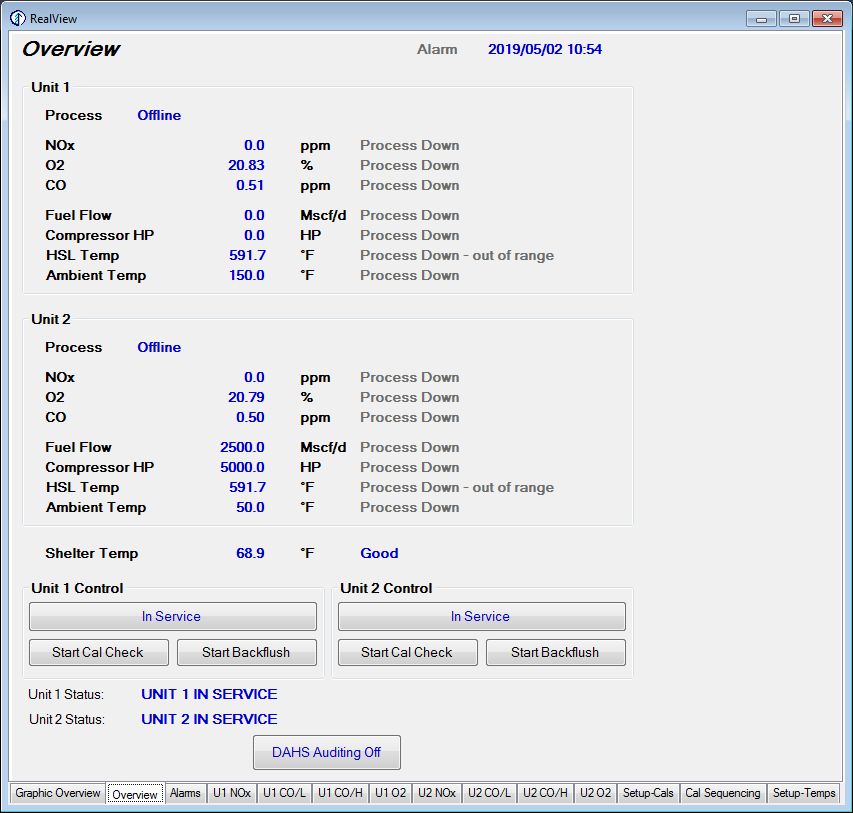
Overview Tab
The Overview tab displays current emission readings for all your analyzers. Operational data such as fuel flow and different temperature readings are also displayed. This window allows you to place the CEMS in or out of service and start a calibration check or backflush, with unit status shown at the bottom of the window.
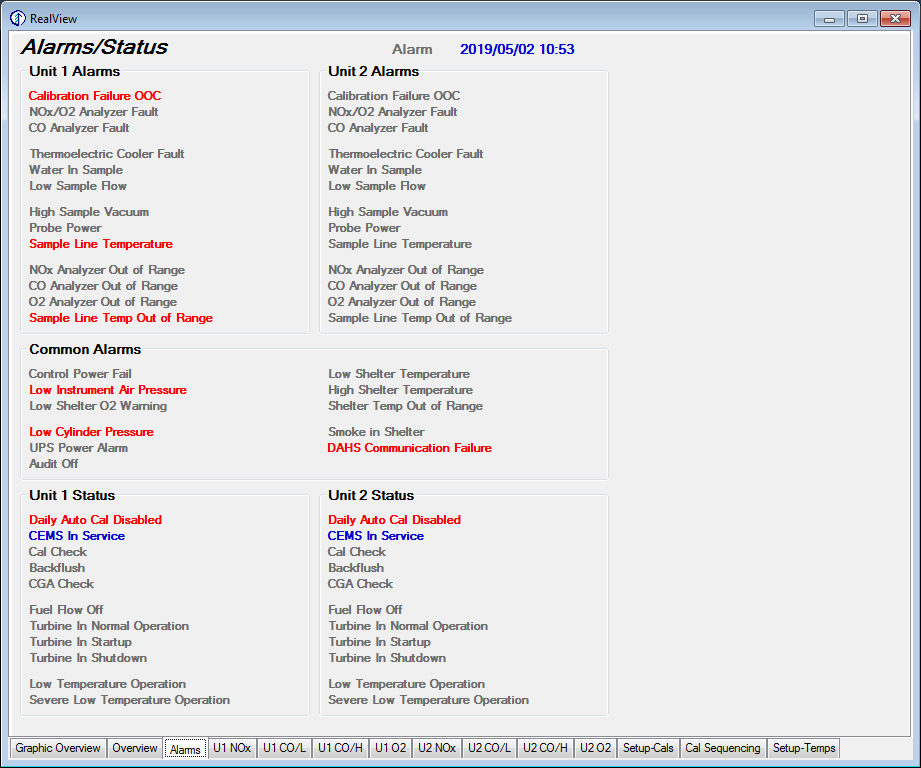
Alarms/Status Tab
The alarms/status tab displays system alarms. Items are shown in red to note that there is a potential problem with the system, and the text on these red alarms flashes on and off. Informational/status indications are shown in blue, and inactive items are shown in grey text.
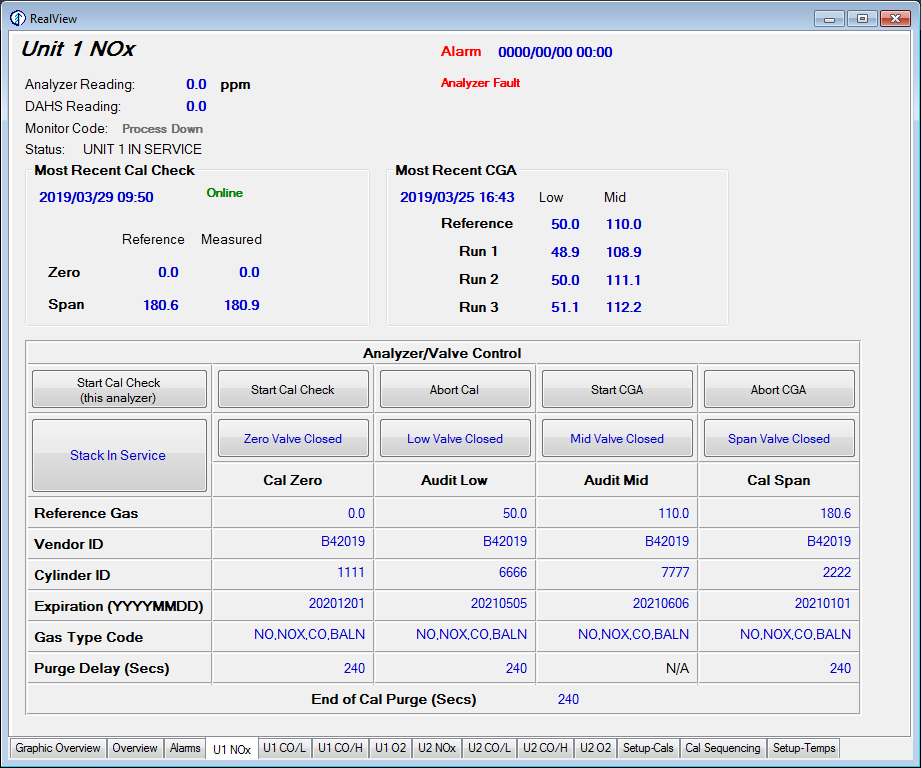
CEMS Analyzer Tab
You will see a tab for each analyzer in RealView. Current emission readings and alarms for that analyzer are displayed in this window, along with the results of the most recent calibration check and CGA or linearity check. From here you can start or abort tests, take the CEMS in or out of service, and enter reference gas or PGVP bottle information.
READY FOR REMOTE OIT ACCESS?
Ask CiSCO about adding RealView to your CEMS as a fully compatible CeDAR add-on module.